Drop supplier invoices into one folder. Billora reads them, checks the GST and totals, and writes everything into a neat Excel file for each day. No typing.
Free to try. A licence key from Billora is needed to process invoices; ask us for one.
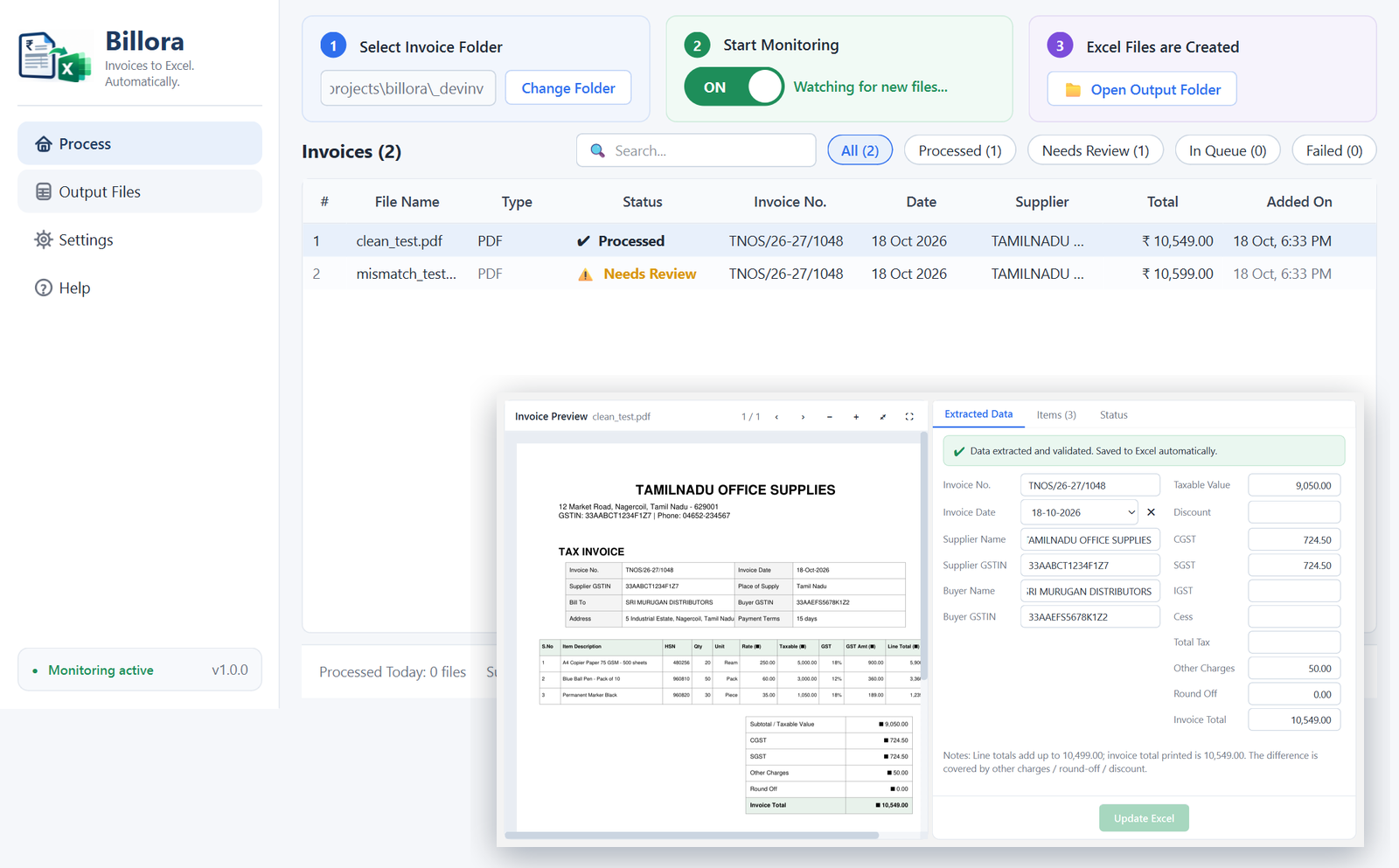
Pick any folder on your PC. Save or drop invoices there: PDF, photos, scans or ZIP files.
Supplier, GSTIN, date, every line item, CGST, SGST, IGST, cess and the total. English and Tamil.
One Excel file per invoice date with an Invoices sheet and an Items sheet. Anything doubtful is shown to you first.
No. Billora copies what is printed. If the totals do not add up, it tells you and lets you decide.
Your files and the Excel output stay on your computer. Only the invoice content is sent to the Billora service for reading, over an encrypted connection, and is not stored there.
GST tax invoices, bills of supply, cash bills, hotel folios, in English or Tamil. Clear phone photos are fine.
Yes, to read invoices. If the connection drops, invoices wait in the queue and continue on their own.
Click More info, then Run anyway. This appears for new publishers until the app has a signing certificate.
Billora is priced per month for your business. Message us and we will set you up with a licence key the same day.
Email hello@bbrok.in for a licence key, a demo or help. We reply within one working day.
 Billora